
Searching for how to upload a song on JioSaavn? Here is the quick answer: you can't upload music to JioSaavn yourself. JioSaavn takes releases only from labels and distributors, so the route is finished song → music distributor → JioSaavn, and then you claim your artist profile on JioSaavn ArtistOne to get the blue tick, your stats and the chance to pitch to editors. With a distributor like MV Distribution, a release can go live within 24 hours, and claiming your profile takes five short steps.
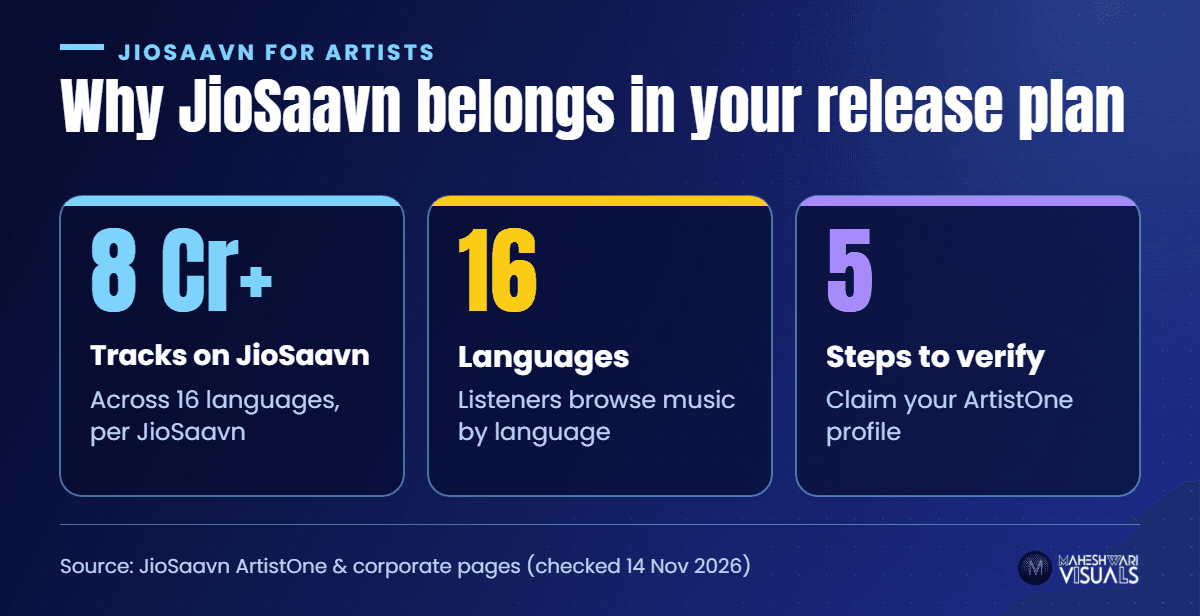
That matters, because JioSaavn is one of the first apps many Indian listeners open. Its corporate page lists 8 crore+ tracks across 16 languages. Below: every step, the common mistakes, and how to grow once you're live.
Can You Upload a Song Directly to JioSaavn?
No. JioSaavn's own ArtistOne FAQ says it does not let artists upload content on the platform; it gets music from labels and aggregators. That is why every independent release on JioSaavn comes through a distributor.
The distributor delivers your audio, cover art and metadata (title, artist names, language, credits, ISRC and UPC) to JioSaavn and other stores like Spotify, Apple Music, YouTube Music and Gaana in one go.
What you need before you start
- A final, mixed and mastered audio file — no demos or rough bounces
- Square, high-resolution cover artwork with no blurry text, web links or other platforms' logos
- Clean metadata: the exact artist name you want on JioSaavn, featured artists, lyricist, composer and the song's language
- Full rights to the song — your own composition, or a licence for any samples, beats or cover versions
- An email address and your official social media links for the ArtistOne profile claim later
How to Upload Your Song on JioSaavn: Step by Step
- Step 1: Sign up with a distributor. Create a free account at MV Distribution — JioSaavn is included in our 100+ store list.
- Step 2: Create your release. Upload the audio and artwork, choose single, EP or album, and pick the correct language. Language matters on JioSaavn because listeners browse by it.
- Step 3: Fill in metadata carefully. Type your artist name exactly the same way on every release. If you already have songs on JioSaavn, select that same artist so the new track lands on your existing page.
- Step 4: Choose your stores and release date. Make sure JioSaavn is ticked. Pick a date at least a week or two ahead so you have time to plan promotion.
- Step 5: Submit and check. After the release is approved and delivered, search your song on JioSaavn and open your artist page. Copy that link — you'll need it for ArtistOne.
How to Get a Verified JioSaavn Artist Profile (ArtistOne)
Once your music is live, claim your page on JioSaavn ArtistOne (artists.jiosaavn.com, formerly Artist Insights). JioSaavn's FAQ lists the same five steps:
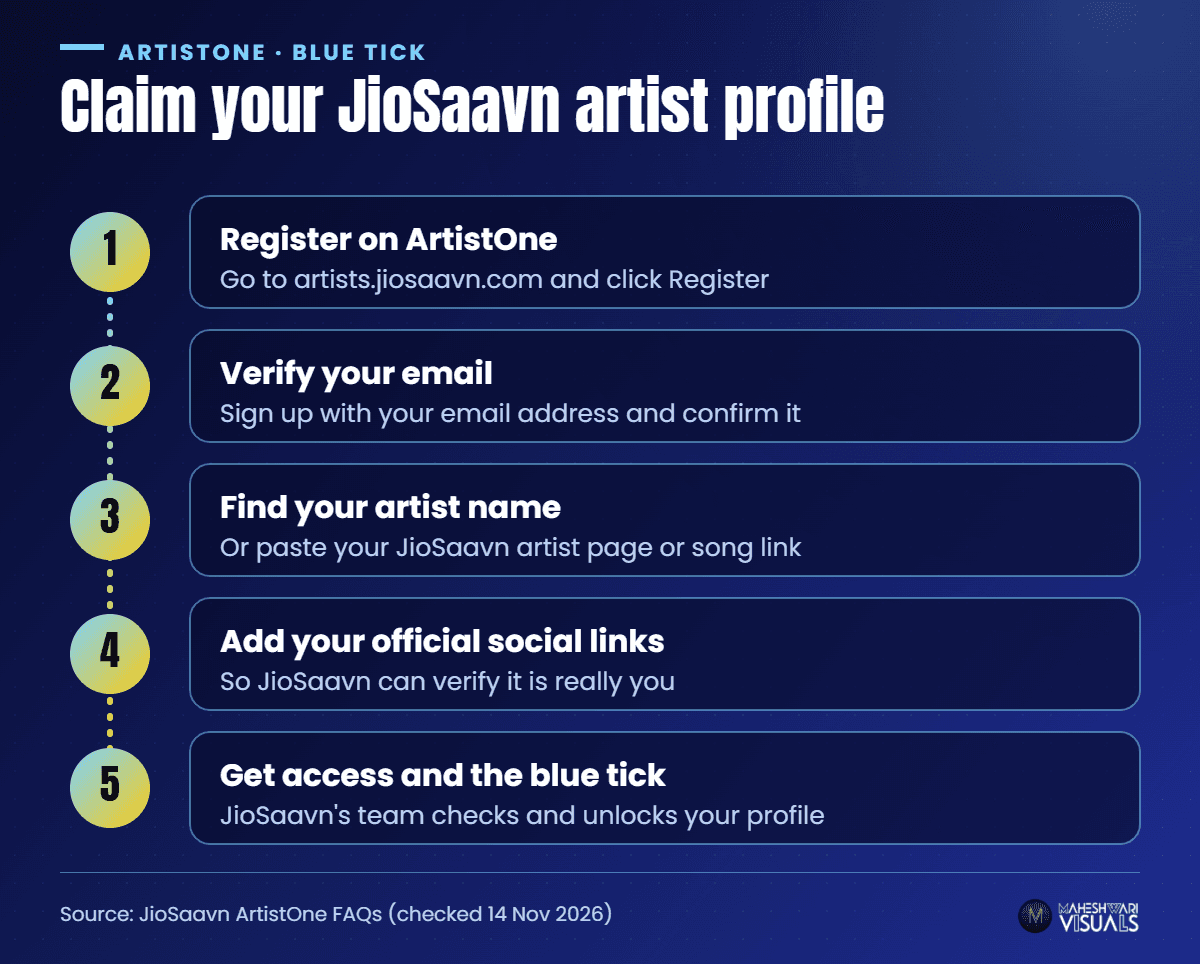
- Step 1: Go to artists.jiosaavn.com and click Register.
- Step 2: Sign up with your email address and verify it.
- Step 3: Search for your artist name. If it doesn't show up, paste your JioSaavn artist page link or a song link into the search bar. Managers search for the artist they manage and choose "Manager".
- Step 4: Add your official social media pages so JioSaavn can verify that you are really the artist, then submit. If you don't have an official YouTube channel, JioSaavn asks you to email artistsupport@saavn.com.
- Step 5: JioSaavn's team checks your connection to the artist and gives you access to your profile.
What you get after verification
- The blue tick and control of your page — profile image, bio and your own "Made By" playlists
- Insights — streaming milestones and how your tracks rank against each other, plus your fans and superfans
- Audience data — listeners' age, gender, city and country, useful for planning promotions and shows
- Shorties — short looping videos for your songs; JioSaavn says songs with a supporting Shortie get better engagement
- Editorial pitching — verified artists can submit songs to JioSaavn's playlist editors, and JioSaavn says every pitch gets a response
Common Mistakes That Send Songs to the Wrong Place
Most JioSaavn problems come from metadata, not the platform. JioSaavn's FAQ notes that when a song appears on the wrong profile, it's usually an issue with the artist metadata received from the distributor, and the fix is a corrected resubmission.
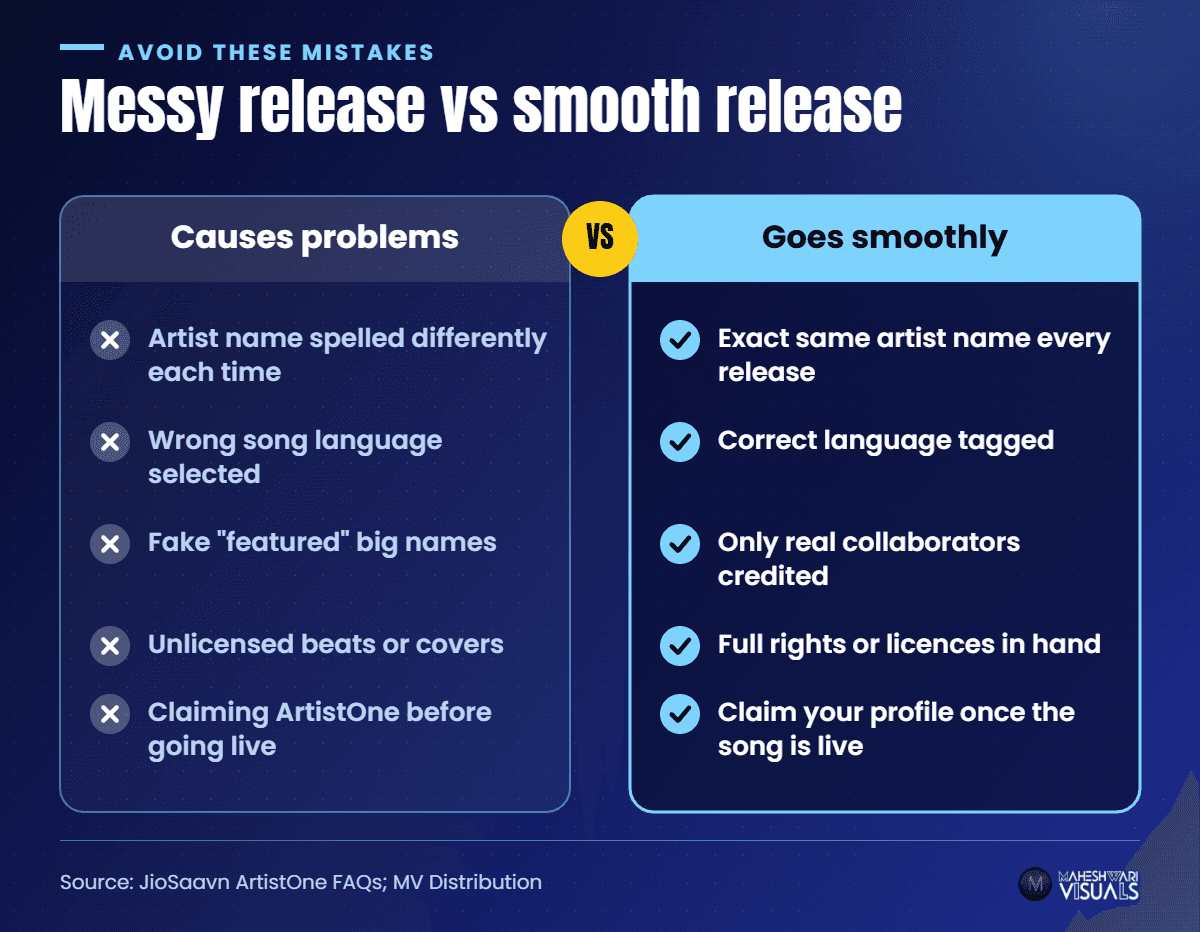
- Spelling your name differently on different releases ("Raj Kumar" vs "Rajkumar") — this can split you into two profiles
- Picking the wrong language — a Bhojpuri song tagged as Hindi is harder for the right fans to find
- Adding a famous name as "featured" without them being on the track — this is misleading and can get a release taken down
- Uploading music you don't own, such as an unlicensed beat or cover — check our cover song guide first
- Claiming ArtistOne before your music is live — you need a JioSaavn page to claim
Tips to Grow on JioSaavn After Release
Getting live is the start. A few habits help your songs travel further:
- Pitch every new single through ArtistOne ahead of release day, with a short honest note on the mood, language and story of the song
- Make a Shortie for each release — a few seconds of looping visuals is enough
- Share your JioSaavn link, not only Instagram, when you post about a release, so fans stream it where the stats count
- Use the city data to target ads and plan gigs where listeners already are
- Add synced lyrics where you can — see our synced lyrics guide
Before you hit submit, it also helps to clear up the classic release myths. We bust five of them in our short video below.
▶ Watch on YouTube: 5 Music Release Myths Artists Still Believe
How MV Distribution Gets You on JioSaavn
MV Distribution sends your music to 100+ stores including JioSaavn, Spotify, Apple Music, Amazon, YouTube Music, Gaana and Instagram. Releases can go live within 24 hours, you keep 100% of your rights, and our human support team replies within 24 hours if a song lands on the wrong profile or metadata needs fixing. Trusted by 200K+ artists. Want help getting playlist-ready too? Look at our playlist pitching service.
Conclusion
Uploading a song on JioSaavn is simple once you know the route: release through a distributor, keep your artist name and language consistent, and claim your page on ArtistOne as soon as the song is live. The blue tick then gives you stats, Shorties and a direct line to JioSaavn's playlist editors.
Your music deserves a home on the app millions of Indian listeners open every day. Ready to release? Sign up free with MV Distribution and put your next song on JioSaavn and 100+ other stores.
FAQs
Can I upload my song on JioSaavn for free?
You can't upload directly to JioSaavn — it accepts music only from labels and distributors. Sign up with a distributor such as MV Distribution, upload your release there and choose JioSaavn as a store.
How long does it take for a song to appear on JioSaavn?
It depends on your distributor's review and the store's processing. With MV Distribution, releases can go live within 24 hours, but plan your release date a week or two ahead so you have time to pitch and promote.
How do I get the blue tick on JioSaavn?
Register on JioSaavn ArtistOne (artists.jiosaavn.com) with your email, search for your artist name, add your official social media links and submit. JioSaavn's team verifies you and then gives you access to your profile.
Why is my song showing on another artist's JioSaavn profile?
This usually happens when the artist metadata sent by the distributor matches the wrong artist. Contact your distributor's support team so they can correct and resubmit the metadata.
Can I pitch my song to JioSaavn playlists?
Yes. Once your profile is verified on ArtistOne, you can submit songs to JioSaavn's editorial team, and JioSaavn says every pitch gets a response.
Sources: JioSaavn ArtistOne and ArtistOne FAQs (checked 14 Nov 2026); JioSaavn corporate page (8 crore+ tracks across 16 languages, checked 14 Nov 2026).
Comments
Related Articles

How to Upload Your Song on Apple Music from India: Step-by-Step Guide for Independent Artists

Bhojpuri Song Distribution: How to Release Your Bhojpuri Song on Spotify, JioSaavn and YouTube
